


Most AI companion apps don't offer everything in one platform. You create an image in one tool, communicate in a different program, and build a character image in another application, making it complicated to follow the character from one platform to the next. The introduction of aiAllure makes this transition seamless. Your companion stays the same from the chat, audio conversation, images, and live video, making it stand out as the most comprehensive live AI companion in 2026. As AI relationships grow in popularity, recent research in the Journal of Consumer Research highlights how companion chatbots significantly impact user well-being and reduce loneliness.
With the increasing number of AI companion applications available, aiAllure is one of the latest entrants in the market. This aiAllure review details the process of creating companions using AI, its main features, pricing options, and the various pros and cons of using this platform. Everything mentioned here is based on practical experience and interaction with the platform, so you know exactly what to expect before you sign up.
What is aiAllure?
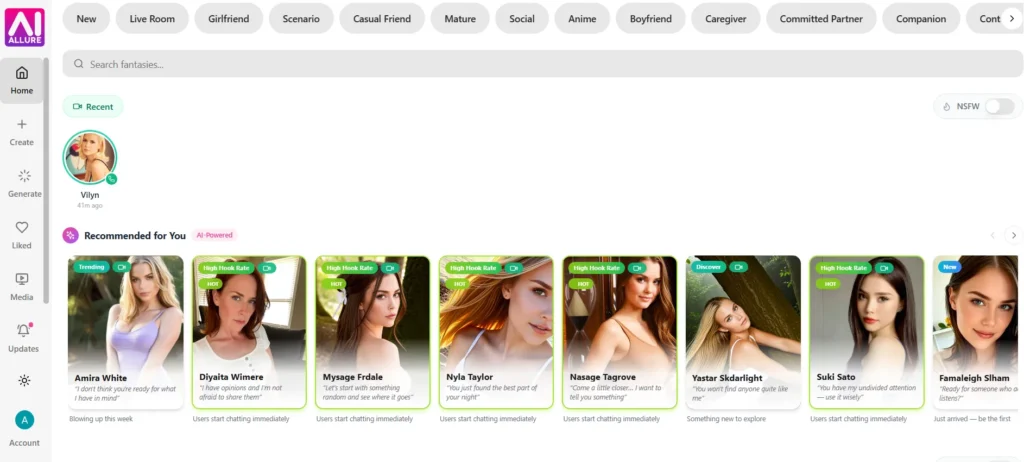
aiAllure is an AI chatbot application using adult fictional characters to produce its companions. Users of the app are allowed to create their AI character and communicate via messages or voice recordings.
This continuity is the key factor that makes aiAllure more like a live, companion experience than a mere chatbot message. The update log backs this up directly: Live Rooms allow the continuation of ideas from previous conversations with characters used in the chat when switching to the video call mode.
Moreover, there are opportunities to create images or videos thanks to the section Media Studio. A user can create only fictional companions, at least 18 years old, and has a NSFW option when entering the homepage of the website.
The characters are divided by categories: Girlfriend, Boyfriend, Scenario, Casual Friend, Mature, Social, Anime, Caregiver, Committed Partner, Companion. Users can search for their favourite fantasies in a search bar, while the “Recommended for You” section gives suggestions based on their activities.
How does aiAllure work?
Demonstration of the custom companion creation process on the aiAllure platform, showing detailed visual attributes and avatar customization option
aiAllure operates through a guided creation process and keeps this companion accessible for conversation, phone calls, and related content. You have the take the steps below to create your own companion on aiAllure.
Step 1: Kick off your imagination. You make a decision about whether your companion is a Male or Female, and then select a certain design style. aiAllure offers two initial design styles, either a realistically designed image or an illustration in the style of animation. So basically, you choose between realistic or anime.
Step 2: Make your avatar a reality. You pick a name for your avatar and provide a brief description.
Step 3: Make your avatar's appearance. This is a process consisting of simple steps of creating an ideal avatar. Each of these steps results in adding some new details to the created avatar.
- Basics: The basic information needed includes ethnicity (Caucasian, Hispanic, Asian, Arabic, African, Indian) and age of the person being described (from 18 to 60+).
- Face: Features of the face include face shape (oval, rounded, heart, square, diamond), cheekbones and jaws.
- Eyes: Features of the eyes and brows include color of eyes (brown, blue, green, hazel, gray, amber) and style of eyebrow.
- Hair: Options include hairstyle (long, curly, straight, pony, buns, braids, short or pigtails) as well as color (black, brown, blonde, auburn, red or light).
- Body: Options include body type (petite, slim, fussy, curvy, voluptuous or large), height and breast size.
- Makeup: makeup style, from none to full glam.
Step 4: Create and finalize. After hitting the “Create Avatar” button, aiAllure produces a preview image and provides a list of attributes that can be changed. Users are free to alter any combination of characteristics of the avatar using aiAllure, which can also make the avatar generate again or use the avatar image as the base image.
After that, users have access to either the chat screen or the Live Room for their companion. If you chose the Live Room option, the initial loading may take some time as aiAllure prepares the character design and animation.
What features does aiAllure offer?
The aiAllure platform classifies its functionalities into four categories, including chat, Live Rooms, generator, and personalized virtual companions.
Chat
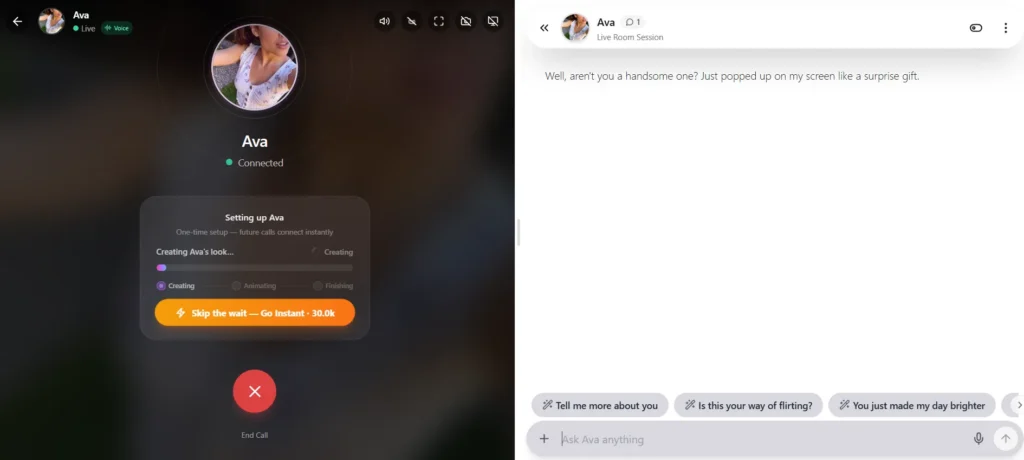
You can communicate with the AI character you’ve built, or a selected character through Companion Chat by means of either text or voice messages. When you’re in the chat window, you’ll see some suggested responses which you can click instead of typing your own message.
Live Rooms
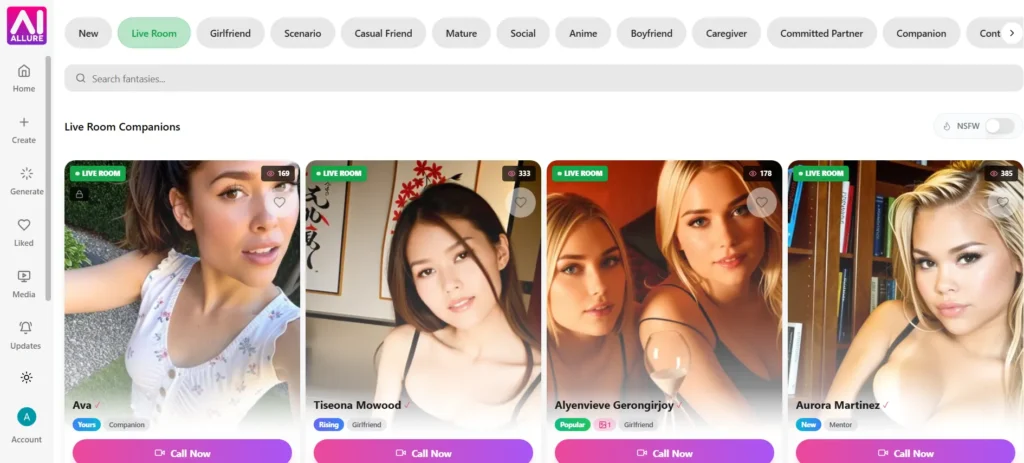
The feature Live Rooms is an interesting approach to video conferencing. A companion appears in the virtual meeting room, and the conversation continues from earlier context. According to software updates, the Live Rooms combine the functions of voice, animation, and chat, with the possibility of using a camera or screens when it is turned on by the user.
Generation
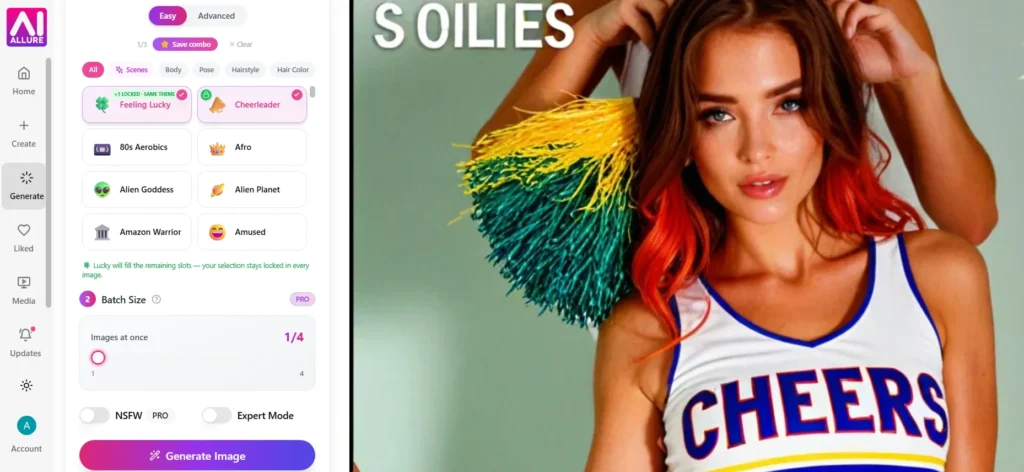
With the help of both the Image Generator and the Infinite Video Creator, users can create new images and videos of the assigned virtual companion. The image generator suggests the option of Easy Mode, which includes presets presenting different scenes or styles of illustrations. It also includes Expert Mode and the option of NSFW.
Media Studio
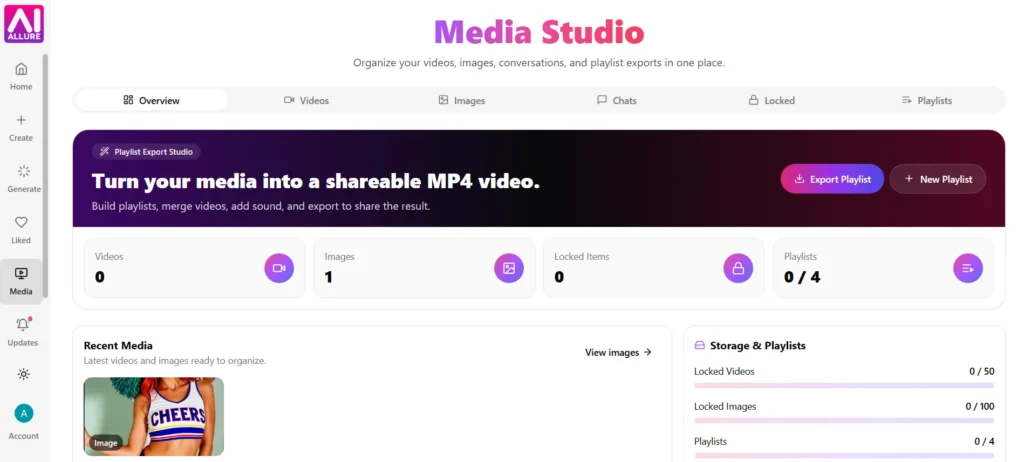
Generation of photographs and videos and chats and locked content happens here in one place. Users can create a collage of videos that can have their own sounds and export the resulting MP4 video to share with others.
Personalized companions
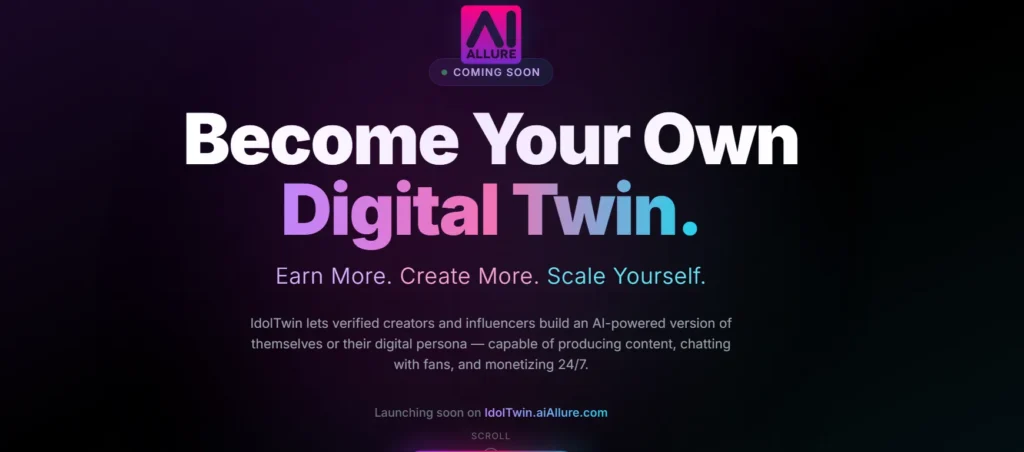
AiAllure has something called IdolTwin Workspace in addition to IdentityForge that makes it possible for the power-tier members to create their digital counterparts.
What updates has aiAllure shipped recently?
aiAllure has a changelog that reveals how frequently different updates have been released. The speed with which updates have been released hints more at the frequency of development work involving the app. As of August 17, 2026, aiAllure has released a total of 57 updates.
Some of the newest features include Companion Moments, which offers the ability for users to send messages, media, or voice notes via chat together with settings with respect to frequency of notifications, quiet hours, and monthly coin use. Other changes cover the introduction of more advanced Live Room scenes based on the new image generation technology, background processing of image editing steps that take longer.
Earlier in 2026 or throughout 2025, aiAllure introduced voice calls, video calls, a new look of the image-generation tool, batch image production, and Storyline Mode enabling you to create longer, more structured scenes. The smooth flow of updates is an indicator that the application continues to scale and develop its portfolio of features and does not stop its evolution right after the product release.
aiAllure pricing: what do the plans include?
| Billing option | Starter | Pro | Power |
|---|---|---|---|
| 24-hour paid trial | $1.99, then $19.90/month | $3.99, then $39.90/month | $5.99, then $59.90/month |
| Monthly | $19.90/month | $39.90/month | $59.90/month |
| 3 months | $44.70 ($14.90/month) | $89.70 ($29.90/month) | $134.70 ($44.90/month) |
| 6 months | $77.40 ($12.90/month) | $149.40 ($24.90/month) | $221.40 ($36.90/month) |
| Yearly | $118.80 ($9.90/month) | $238.80 ($19.90/month) | $358.80 ($29.90/month) |
| Lifetime | $199.00, one-time | $399.00, one-time | $599.00, one-time |
Batch size, parallel video jobs, and other feature limits stay tied to the tier (Starter, Pro, or Power), not the billing option:
| Plan | Images per batch | Parallel video jobs | Companions | Extras |
|---|---|---|---|---|
| Starter | 2 | 1 | 3 custom companions | Standard speed |
| Pro | 4 | 3 | Unlimited companions | Faster generation |
| Power | 8 | 5 | Unlimited companions | 1 IdentityForge slot, priority queue (2× faster) |
Those interested in trying the software may find the 24-hour paid trial the cheapest option available, as it costs only $1.99 for a Starter subscription, meaning that upon expiration users will be charged the full monthly subscription fee. aiAllure's available payment methods vary by country, account and payment provider and are shown at checkout.
How can beginners start using aiAllure effectively?
The best way for new users to get the most out of aiAllure is to go through the onboarding process step-by-step rather than rushing into chat.
- You should select a visual style (realistic or anime) before deciding on the name of your companion, as it has an impact on all subsequent customization options.
- When you reach step 2, write something that truly represents your companion. It is essential for the first interaction with the companion in chat.
- Remember to make use of the fine-tuning option prior to finalizing your avatar. That's because changing one detail is far easier than starting the whole process from scratch.
- If you want to just chat, then you can start with a Starter plan, but go for Pro or Power plan once you want to have more companions and get things done faster.
Key takeaways
aiAllure combines a detailed companion builder with chat, Live Rooms, and generation tools in one subscription. The innovative four-step guide is remarkable in terms of the level of freedom it provides in terms of look, and the unlimited usage provided with each plan means that there is no need to worry about the restriction imposed by the daily limit.
The first feature that should be paid special attention to is the speed and the amount of content generated, which means that the right aiAllure plan is based on the frequency of media generation. You can see that the product is regularly updated and is created with the purpose to offer stable companions in chats, voice messages, and videos.
From experiencing this platform, there is no doubt that aiAllure provides the best live AI companion experience on the market . If you use this platform you will have a single companion who will accompany you in text messages, voice messages, pictures, videos, and even in the Live Rooms.
FAQs
aiAllure is an AI companion platform where users build a custom fictional character and interact with it through chat, voice, and Live Room video sessions.
Monthly prices run $19.90 for Starter, $39.90 for Pro, and $59.90 for Power. aiAllure also offers 3-month, 6-month, yearly, and lifetime billing, and the monthly equivalent drops with each longer commitment.
aiAllure offers a 24-hour paid trial instead of a free one. It costs $1.99 for Starter, $3.99 for Pro, or $5.99 for Power, then renews at the full monthly price after 24 hours.
Yes. aiAllure uses a four-step wizard covering ethnicity, age, face structure, eyes, hair, body type, and makeup, plus a fine-tune step before the final avatar is created.
aiAllure review: quick verdict
aiAllure review: quick verdict-
Companion creation9/10 AmazingThe four-step appearance wizard gives real control over ethnicity, face structure, body type, and styling, and the fine-tune step lets you adjust single details before locking in the final look. Few competitors break the creation process down into this many editable stages.
-
Chat and conversation8/10 Very goodChat includes text, voice, and suggested quick replies, and the update log shows ongoing work on memory so companions carry context between sessions. The core experience is solid, though depth of personality still depends on the description you write at setup.
-
Live Room experience9/10 AmazingLive Rooms combine real-time voice, animated video, and chat in one session, and memory carries over from prior chats. The one-time setup delay to build a companion's look and animation is the main friction point, though it only happens once per companion unless a user pays to skip it.
-
Image and video generation8/10 Very goodThe Image Generator offers Easy Mode presets, an Expert Mode, and adjustable batch sizes, while Media Studio brings everything into one library with playlist and MP4 export tools. Higher tiers unlock bigger batches and more parallel video jobs, which matters if you generate media often.
-
Pricing and value8/10 Very goodAll three plans include unlimited chat, image generation, video generation, and Live Rooms with no usage caps, which is a strong baseline. The real differences between tiers come down to speed and batch size, so casual users may find Starter enough, while heavy creators will need Pro or Power.
Pros
- Seven-step avatar wizard with detailed control over appearance
- Live Rooms combine voice, video, and chat with shared memory
- Unlimited chat, image, and video generation on every plan, no daily caps
- Media Studio centralizes images, videos, and playlist exports
- Frequent updates, with 57 releases logged as of August 2026
- Apple Pay and Google Pay supported at checkout
Cons
- First-time Live Room setup takes a moment to build the companion's look and animation
- Higher batch sizes and parallel video jobs are locked behind Pro and Power tiers
- Unlimited custom companions require at least the Pro plan
- IdentityForge is limited to the Power tier